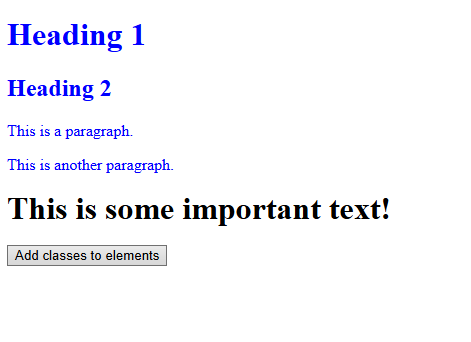
We are adding class to element to apply css on it.
<!DOCTYPE html>
<html>
<head>
<script src="https://ajax.googleapis.com/ajax/libs/jquery/3.7.1/jquery.min.js"></script>
<script>
$(document).ready(function(){
$("button").click(function(){
$("h1, h2, p").addClass("blue");
$("div").addClass("important");
});
});
</script>
<style>
.important {
font-weight: bold;
font-size: xx-large;
}
.blue {
color: blue;
}
</style>
</head>
<body>
<h1>Heading 1</h1>
<h2>Heading 2</h2>
<p>This is a paragraph.</p>
<p>This is another paragraph.</p>
<div>This is some important text!</div><br>
<button>Add classes to elements</button>
</body>
</html>
We attaching a click event to element. when user click on paragraph element then it will hide.
<!DOCTYPE html>
<html>
<head>
<script src="https://ajax.googleapis.com/ajax/libs/jquery/3.7.1/jquery.min.js"></script>
<script>
$(document).ready(function(){
$("p").on("click", function(){
$(this).hide();
});
});
</script>
</head>
<body>
<p>If you click on me, I will disappear.</p>
<p>Click me away!</p>
<p>Click me too!</p>
</body>
</html>
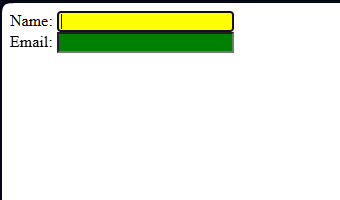
We attaching an focus and blur event to an HTML form field. when user click on first input field then it will have yellow background color and when user click outside the input field then it will have green background color.
<!DOCTYPE html>
<html>
<head>
<script src="https://ajax.googleapis.com/ajax/libs/jquery/3.7.1/jquery.min.js"></script>
<script>
$(document).ready(function(){
$("input").focus(function(){
$(this).css("background-color", "yellow");
});
$("input").blur(function(){
$(this).css("background-color", "green");
});
});
</script>
</head>
<body>
Name: <input type="text" name="fullname"><br>
Email: <input type="text" name="email">
</body>
</html>
We using a class selector. when user click on button then element that have class as test will hide.
<!DOCTYPE html>
<html>
<head>
<script src="https://ajax.googleapis.com/ajax/libs/jquery/3.7.1/jquery.min.js"></script>
<script>
$(document).ready(function(){
$("button").click(function(){
$(".test").hide();
});
});
</script>
</head>
<body>
<h2 class="test">This is a heading</h2>
<p class="test">This is a paragraph.</p>
<p>This is another paragraph.</p>
<button>Click me</button>
</body>
</html>
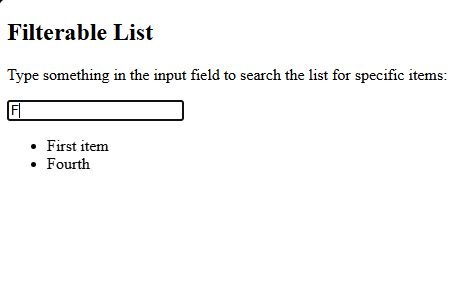
We are doing filter lists. user can search item in list.
<!DOCTYPE html>
<html>
<head>
<script src="https://ajax.googleapis.com/ajax/libs/jquery/3.7.1/jquery.min.js"></script>
<script>
$(document).ready(function(){
$("#myInput").on("keyup", function() {
var value = $(this).val().toLowerCase();
$("#myList li").filter(function() {
$(this).toggle($(this).text().toLowerCase().indexOf(value) > -1)
});
});
});
</script>
</head>
<body>
<h2>Filterable List</h2>
<p>Type something in the input field to search the list for specific items:</p>
<input id="myInput" type="text" placeholder="Search..">
<br>
<ul id="myList">
<li>First item</li>
<li>Second item</li>
<li>Third item</li>
<li>Fourth</li>
</ul>
</body>
</html>