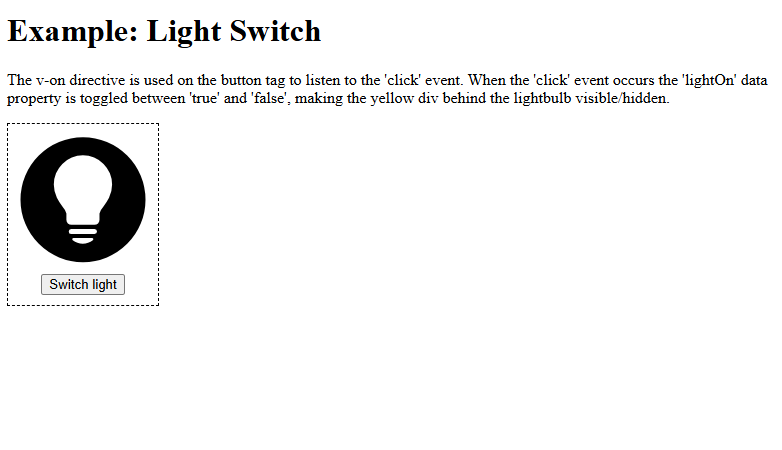
We are using Vue v-on Directive. When the click event occurs the 'lightOn' data property is toggled between 'true' and 'false', making the yellow div behind the lightbulb visible or hidden.
×
Vue v-on Directive
<!DOCTYPE html>
<html>
<head>
  <title>Light Switch</title>
  <style>
    #app {
      border: dashed black 1px;
      display: inline-block;
      padding-bottom: 10px;
    }

    #app > button {
      display: block;
      margin: auto;
    }

    #lightDiv {
      position: relative;
      width: 150px;
      height: 150px;
    }

    #lightDiv > img {
      position: relative;
      width: 100%;
      height: 100%;
    }

    #lightDiv > div {
      position: absolute;
      top: 10%;
      left: 10%;
      width: 80%;
      height: 80%;
      border-radius: 50%;
      background-color: yellow;
    }
  </style>
</head>
<body>

<h1>Example: Light Switch</h1>
<p>The v-on directive is used on the button tag to listen to the 'click' event. When the 'click' event occurs the 'lightOn' data property is toggled between 'true' and 'false', making the yellow div behind the lightbulb visible/hidden.</p>
<div id="app">
  <div id="lightDiv">
    <div v-show="lightOn"></div>
    <img src="img_lightBulb.svg">
  </div>
  <button v-on:click=" lightOn =! lightOn ">Switch light</button>
</div>

<script src="https://unpkg.com/vue@3/dist/vue.global.js"></script>
<script>
  const app = Vue.createApp({
    data() {
      return {
        lightOn: false
      }
    }
  })
 app.mount('#app')
</script>

</body>
</html>
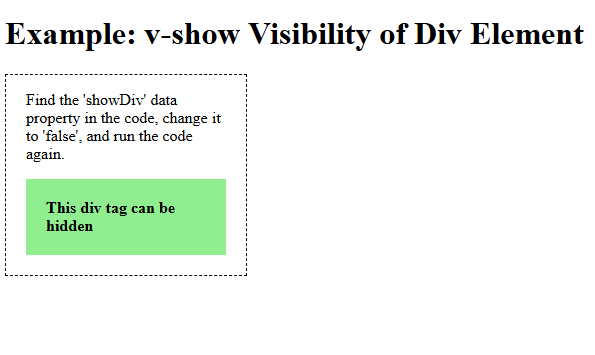
We are using Vue v-show Directive. display the div element only if the showDiv property is set to true.
×
Vue v-show Directive
<!DOCTYPE html>
<html>
<head>
  <title>v-show</title>
  <style>
    #app {
      border: black dashed 1px;
      width: 200px;
      padding: 0 20px 20px 20px;
    }
    #app div {
      padding: 20px;
      background-color: lightgreen;
      font-weight: bold;
    }
  </style>
</head>
<body>

<h1>Example: v-show Visibility of Div Element</h1>

<div id="app">
  <p>Find the 'showDiv' data property in the code, change it to 'false', and run the code again.</p>
  <div v-show="showDiv">This div tag can be hidden</div>
</div>

<script src="https://unpkg.com/vue@3/dist/vue.global.js"></script>
<script>
  const app = Vue.createApp({
    data() {
      return {
        showDiv: true
      }
    }
  })
 app.mount('#app')
</script>

</body>
</html>
 LinkedIn Account
 GitHub Account
 Leetcode Account
 GeeksforGeeks Account