Animated Modals
Program Info
Program Code
×

Animated Modals

We creating an animated modals.

Footer

×

Animated Modals

<!DOCTYPE html>
<html>
<title>W3.CSS</title>
<meta name="viewport" content="width=device-width, initial-scale=1">
<link rel="stylesheet" href="https://www.w3schools.com/w3css/4/w3.css">
<body>

<div class="w3-container">
  <h2>W3.CSS Animated Modal</h2>
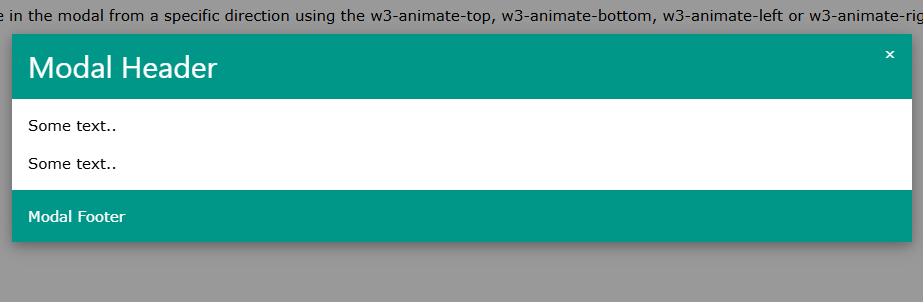
  <p>Zoom in the modal with the w3-animate-zoom class, or slide in the modal from a specific direction using the w3-animate-top, w3-animate-bottom, w3-animate-left or w3-animate-right class:</p>
  <button onclick="document.getElementById('id01').style.display='block'" class="w3-button w3-black">Open Animated Modal</button>

  <div id="id01" class="w3-modal">
    <div class="w3-modal-content w3-animate-top w3-card-4">
      <header class="w3-container w3-teal"> 
        <span onclick="document.getElementById('id01').style.display='none'" 
        class="w3-button w3-display-topright">&times;</span>
        <h2>Modal Header</h2>
      </header>
      <div class="w3-container">
        <p>Some text..</p>
        <p>Some text..</p>
      </div>
      <footer class="w3-container w3-teal">
        <p>Modal Footer</p>
      </footer>
    </div>
  </div>
</div>
          
</body>
</html>

Footer

Animated Tooltips
Program Info
Program Code
×

Animated Tooltips

We creating an animated tooltips.

Footer

×

Animated Tooltips

<!DOCTYPE html>
<html>
<title>W3.CSS</title>
<meta name="viewport" content="width=device-width, initial-scale=1">
<link rel="stylesheet" href="https://www.w3schools.com/w3css/4/w3.css">
<body>

<div class="w3-container">
  <h2>Animated Tooltips</h2>
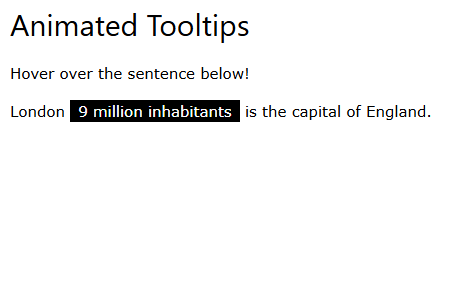
  <p>Hover over the sentence below!</p>

  <p class="w3-tooltip">London <span class="w3-text w3-tag w3-animate-opacity">9 million inhabitants</span> is the capital of England.</p>
</div>

</body>
</html> 

Footer

Display Avatar List
Program Info
Program Code
×

Display Avatar List

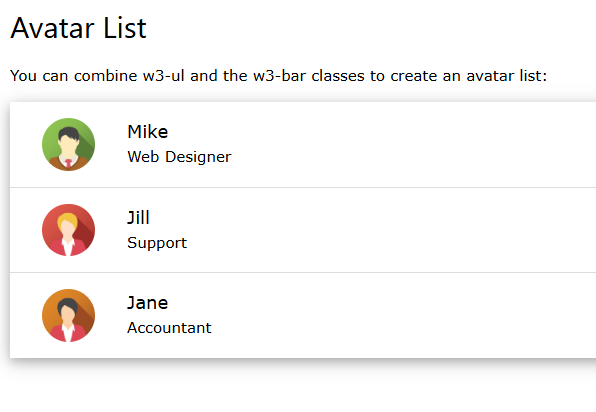
We are displaying an avatar list.

Footer

×

Display Avatar List

<!DOCTYPE html>
<html>
<title>W3.CSS</title>
<meta name="viewport" content="width=device-width, initial-scale=1">
<link rel="stylesheet" href="https://www.w3schools.com/w3css/4/w3.css">
<body>

<div class="w3-container">
  <h2>Avatar List</h2>
  <p>You can combine w3-ul and the w3-bar classes to create an avatar list:</p>
  <ul class="w3-ul w3-card-4">
    <li class="w3-bar">
      <span onclick="this.parentElement.style.display='none'" class="w3-bar-item w3-button w3-white w3-xlarge w3-right">×</span>
      <img src="https://www.w3schools.com/w3css/img_avatar2.png" class="w3-bar-item w3-circle w3-hide-small" style="width:85px">
      <div class="w3-bar-item">
        <span class="w3-large">Mike</span><br>
        <span>Web Designer</span>
      </div>
    </li>

    <li class="w3-bar">
      <span onclick="this.parentElement.style.display='none'" class="w3-bar-item w3-button w3-white w3-xlarge w3-right">×</span>
      <img src="https://www.w3schools.com/w3css/img_avatar5.png" class="w3-bar-item w3-circle w3-hide-small" style="width:85px">
      <div class="w3-bar-item">
        <span class="w3-large">Jill</span><br>
        <span>Support</span>
      </div>
    </li>

    <li class="w3-bar">
      <span onclick="this.parentElement.style.display='none'" class="w3-bar-item w3-button w3-white w3-xlarge w3-right">×</span>
      <img src="https://www.w3schools.com/w3css/img_avatar6.png" class="w3-bar-item w3-circle w3-hide-small" style="width:85px">
      <div class="w3-bar-item">
        <span class="w3-large">Jane</span><br>
        <span>Accountant</span>
      </div>
    </li>
  </ul>
</div>

</body>
</html>

Footer

Display Badges In Buttons
Program Info
Program Code
×

Display Badges In Buttons

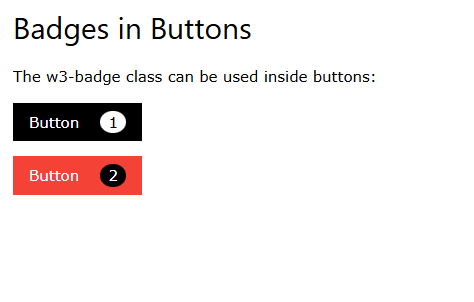
We are displaying badges in buttons.

Footer

×

Display Badges In Buttons

<!DOCTYPE html>
<html>
<title>W3.CSS</title>
<meta name="viewport" content="width=device-width, initial-scale=1">
<link rel="stylesheet" href="https://www.w3schools.com/w3css/4/w3.css">
<body>
<div class="w3-container">

<h2>Badges in Buttons</h2>

<p>The w3-badge class can be used inside buttons:</p>

<p><button class="w3-btn w3-black">Button
<span class="w3-badge w3-margin-left w3-white">1</span>
</button></p>

<p><button class="w3-btn w3-red">Button
<span class="w3-badge w3-margin-left">2</span>
</button></p>

</div>
</body>
</html>

Footer

Display Badges in Lists
Program Info
Program Code
×

Display Badges in Lists

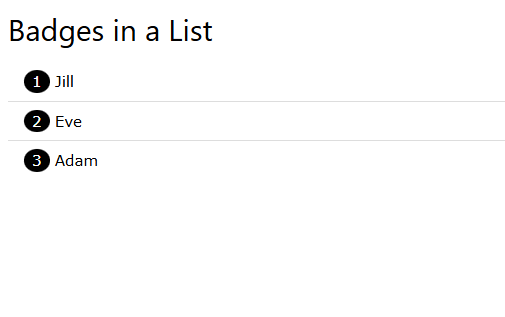
We are displaying badges in lists.

Footer

×

Display Badges in Lists

<!DOCTYPE html>
<html>
<title>W3.CSS</title>
<meta name="viewport" content="width=device-width, initial-scale=1">
<link rel="stylesheet" href="https://www.w3schools.com/w3css/4/w3.css">
<body>

<div class="w3-container">
<h2>Badges in a List</h2>
<ul class="w3-ul">
  <li><span class="w3-badge">1</span> Jill</li>
  <li><span class="w3-badge">2</span> Eve</li>
  <li><span class="w3-badge">3</span> Adam</li>
</ul>
</div>

</body>
</html>

Footer

Set Current Tab as Active
Program Info
Program Code
×

Set Current Tab as Active

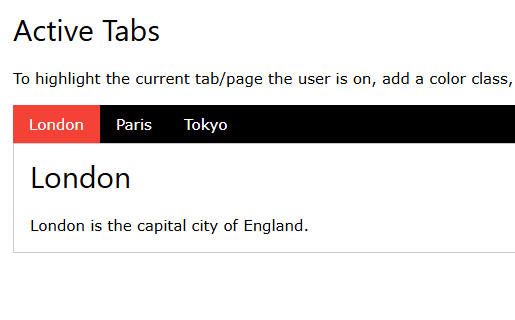
We are doing set current tab as active.

Footer

×

Set Current Tab as Active

<!DOCTYPE html>
<html>
<title>W3.CSS</title>
<meta name="viewport" content="width=device-width, initial-scale=1">
<link rel="stylesheet" href="https://www.w3schools.com/w3css/4/w3.css">
<body>

<div class="w3-container">
  <h2>Active Tabs</h2>
  <p>To highlight the current tab/page the user is on, add a color class, and use JavaScript to update the active link.</p>

  <div class="w3-bar w3-black">
    <button class="w3-bar-item w3-button tablink w3-red" onclick="openCity(event,'London')">London</button>
    <button class="w3-bar-item w3-button tablink" onclick="openCity(event,'Paris')">Paris</button>
    <button class="w3-bar-item w3-button tablink" onclick="openCity(event,'Tokyo')">Tokyo</button>
  </div>
  
  <div id="London" class="w3-container w3-border city">
    <h2>London</h2>
    <p>London is the capital city of England.</p>
  </div>

  <div id="Paris" class="w3-container w3-border city" style="display:none">
    <h2>Paris</h2>
    <p>Paris is the capital of France.</p> 
  </div>

  <div id="Tokyo" class="w3-container w3-border city" style="display:none">
    <h2>Tokyo</h2>
    <p>Tokyo is the capital of Japan.</p>
  </div>
</div>

<script>
function openCity(evt, cityName) {
  var i, x, tablinks;
  x = document.getElementsByClassName("city");
  for (i = 0; i < x.length; i++) {
    x[i].style.display = "none";
  }
  tablinks = document.getElementsByClassName("tablink");
  for (i = 0; i < x.length; i++) {
    tablinks[i].className = tablinks[i].className.replace(" w3-red", "");
  }
  document.getElementById(cityName).style.display = "block";
  evt.currentTarget.className += " w3-red";
}
</script>

</body>
</html>
Footer


×

Name : Krishna Verma    |    Father's Name : Mr. Satish Kumar    |    Email ID : krishnaverma28081997@gmail.com    |    Religion : Hindu    |    Address : Dayampur, kanker khera, Meerut Cantt (250001), UP    |    Date of Birth : 28 August 1997    |    Marital Status : Non-Married    |    Place of Birth : Dayampur Kanker Khera Meerut Cantt.    |    Gender : Male    |    Age : 28    |    Contact : 9520335394    |    Father's Occupation : Sports man    |    Mother's Name : Smt. Kuntesh Devi    |    Mother's Occupation : Homemaker    |    Number of Brothers : 1    |    Number of Sisters : 1    |    Current Residence : Dayampur kanker khera meerut cantt    |    Family Type : Nuclear Family    |    Family Name : verma    |    Height : 5' 6''    |    Weight : 70 kg    |    Complexion : Fair    |    Body Type : Athletic    |    Hair Color : Black    |    Health Status : Good    |    Any Physical Disability : No    |    Highest Qualification : B.Tech (CSE)    |    Master Skill : PHP Laravel    |    Total Projects : 40 +    |    Total Skills : 25 +    |    Languages Known : Hindi and English    |    Website : krishnaportfolio.in    |    Siblings : 3    |    Nationality : Indian    |    Total Experience : 5 Years    |    LinkedIn : https://www.linkedin.com/in/krishna-verma-840b71356/    |    Total Programs : 10000    |    Total Projects : 40    |    Total Skills : 25    |    Total Experience : 5    |    Total DSA Problems : 165    |    Total Served Companies : 2